Appearance


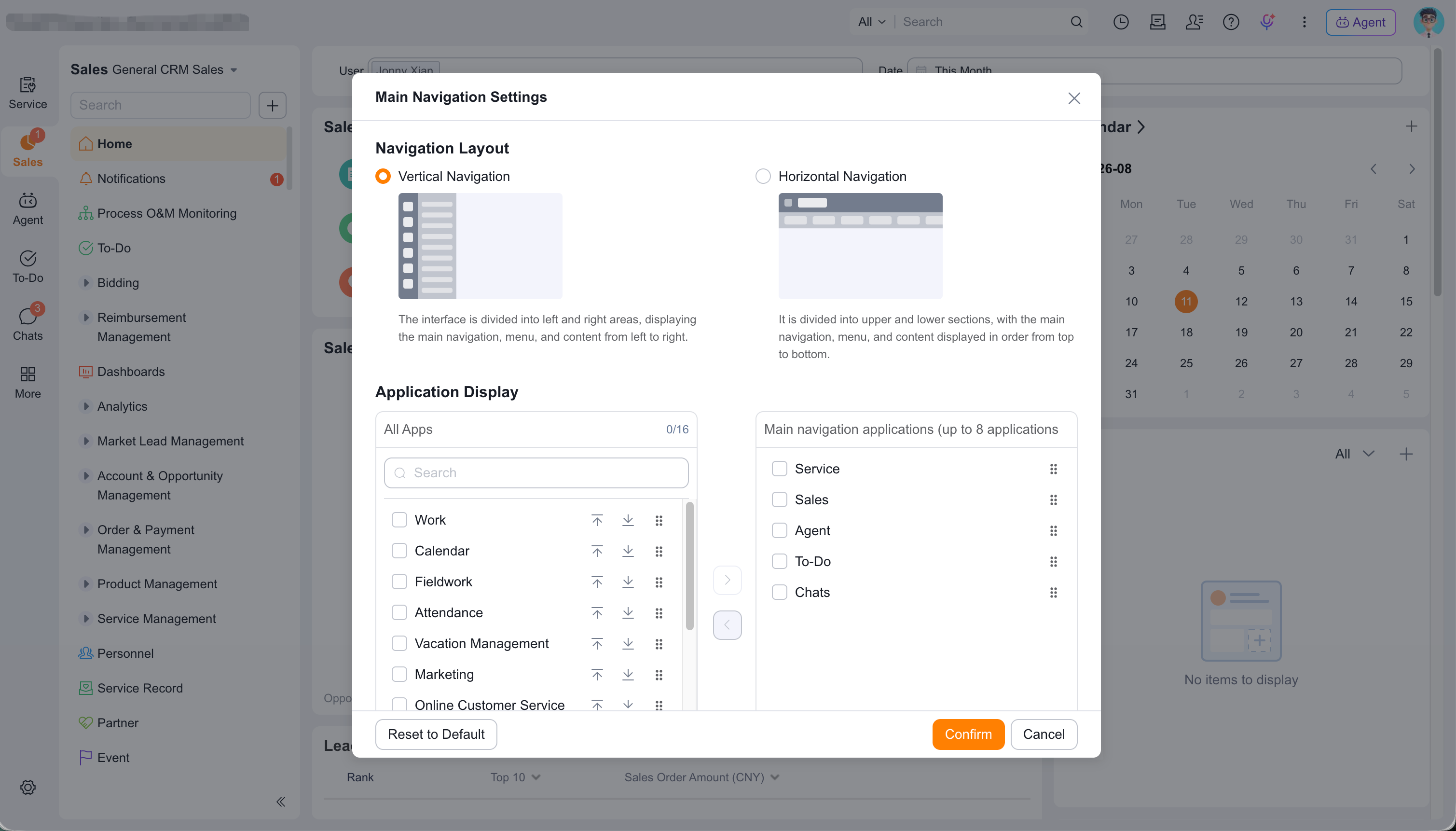
Interface customization organizes work entry points by business role.
Administrators configure applications, navigation, menus, homepages, custom pages, components, and branding for Web, Mobile Client, and third-party mobile entry points. Applicable Scope and Template Priority provide different interfaces to different users.
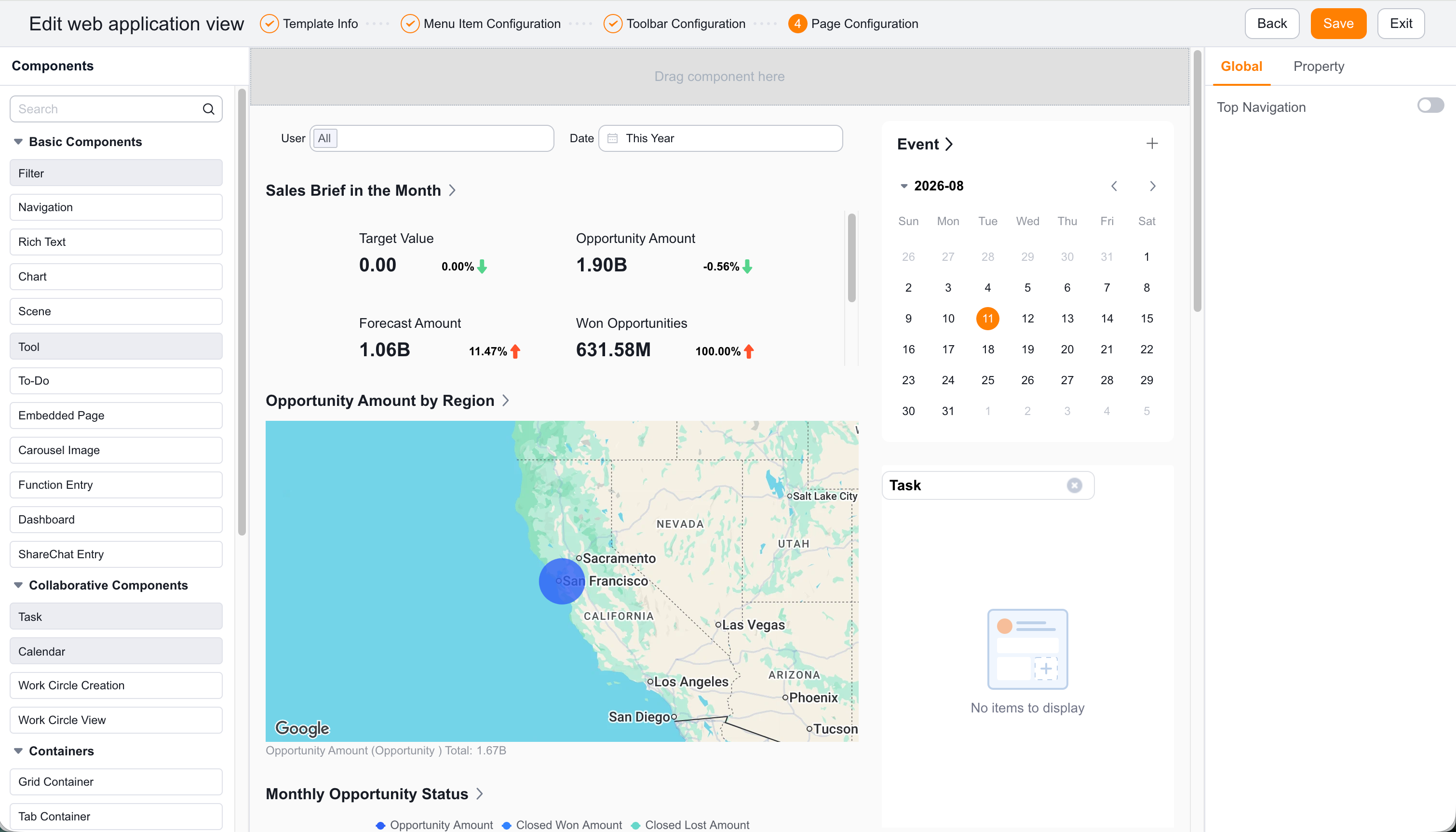
The model-driven, component-based UI supports no-code visual configuration. Custom components and page development support advanced scenarios.
| Scenario | Capability | Business value |
|---|---|---|
| Teams need different CRM entry points | CRM application views, menus, and homepages | Each team gets an appropriate workspace. |
| Users need only frequent applications | Web and App main navigation | Reduces clutter and improves access. |
| The enterprise needs dedicated pages | Web and App custom pages | Builds role-specific pages with components. |
| Menus must open objects, pages, or charts | Custom menu items | Places business resources directly in menus. |
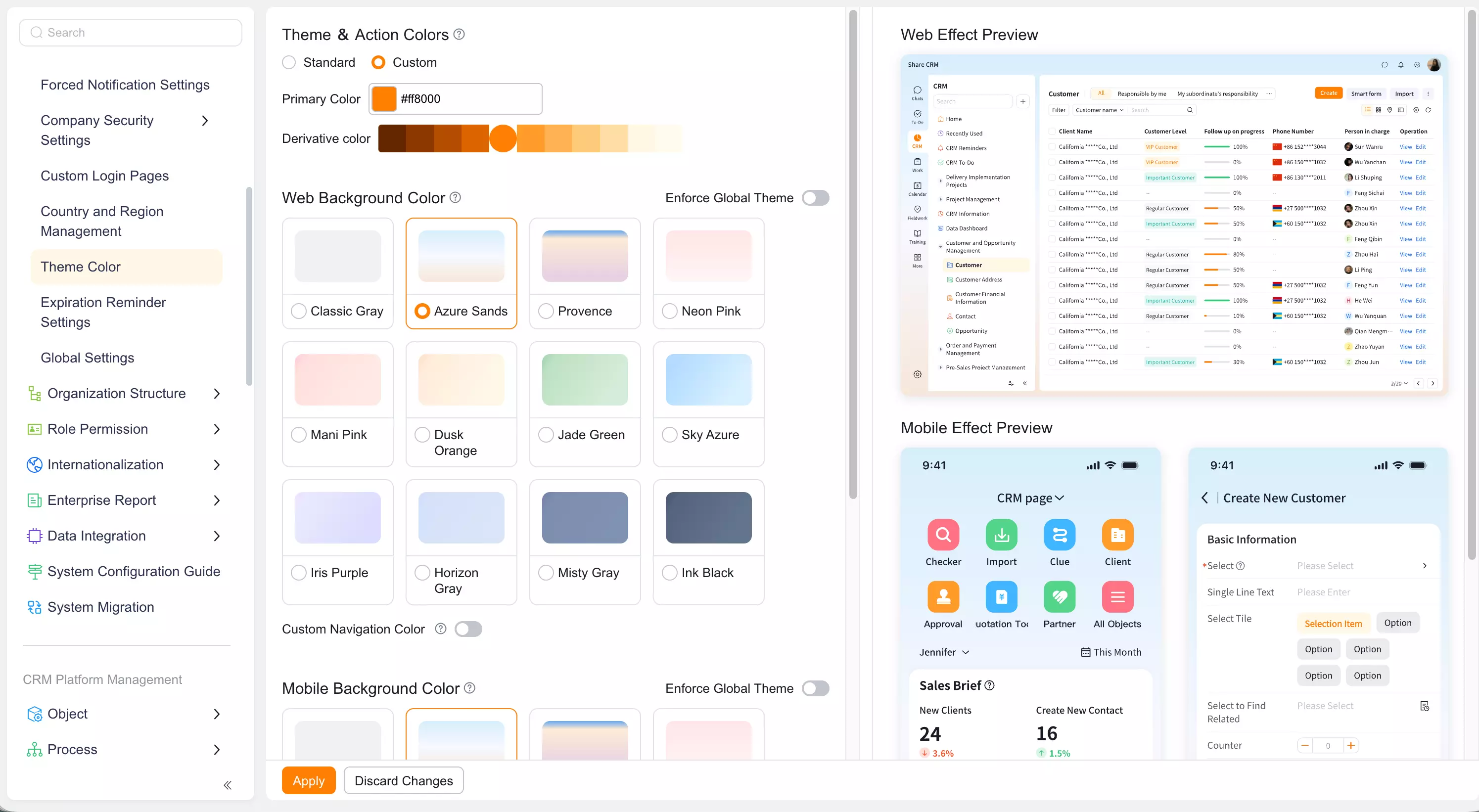
| The enterprise needs consistent branding | Theme Color, Skin Color, startup image, and login branding | Reinforces the customer-facing brand. |
| Characteristic | Description |
|---|---|
| Visual building | Drag components and configure layouts in a designer. |
| Low-code extension | Extend pages through component-based development. |
| Role-based presentation | Tailor interfaces by role, position, or Record Type. |
| Efficient delivery | Reduce build, test, and release time. |
| Business alignment | Let teams create entry points around their scenarios. |
| Highlight | Description |
|---|---|
| Visual refresh | Uses brighter colors and modern rounded controls. |
| Layout switching | Supports personal horizontal and vertical layouts and remembers the selected layout. |
| Theme colors | Supports user-level theme skins and enterprise-level Theme Color. |
| List visualization | Displays percentages as progress and Single Select fields as Tags. |
| Modular Workstation | Supports draggable panels such as sales funnels, Account profiles, and to-do lists. |
| AI entry points | Source Documents describe global conversational AI, embedded scenario AI, and quick-tool AI. |
| Concept | Description | Common relationship |
|---|---|---|
| Platform application | A set of application views for a business or role. | Web and mobile views. |
| CRM application view | A view template in CRM. | Menus, homepage, components, and Applicable Scope. |
| CRM menu | Menu groups and items in CRM. | Objects, custom items, and personal menus. |
| CRM homepage | The default workspace template. | Components, Template Priority, and personal homepages. |
| Custom page | A page built with layouts and components. | Custom menu items and application views. |
| Custom menu item | An entry that can appear in a menu. | CRM objects, custom pages, and dashboard charts. |