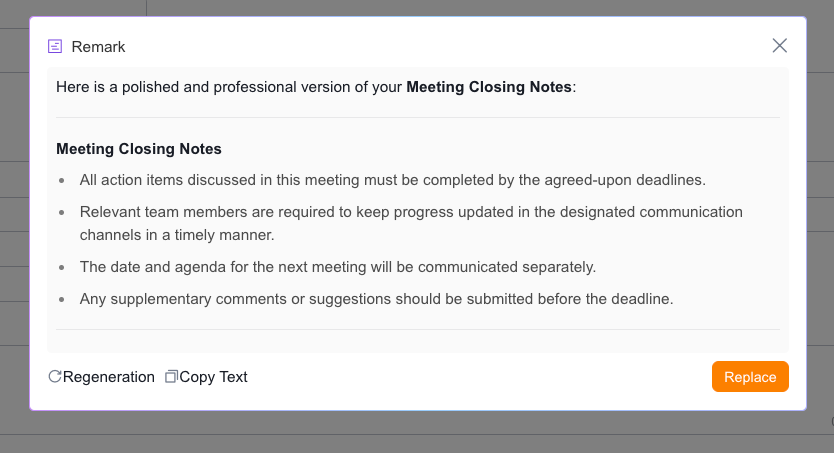
Appearance


Use AI to automatically generate content for single-line text, multi-line text, rich text, and collaborative rich text fields. This saves time and improves productivity.
Single-line text, multi-line text, rich text, and collaborative rich text fields all support AI generation. When you enable Use AI Content Generation, these fields can automatically produce text content.
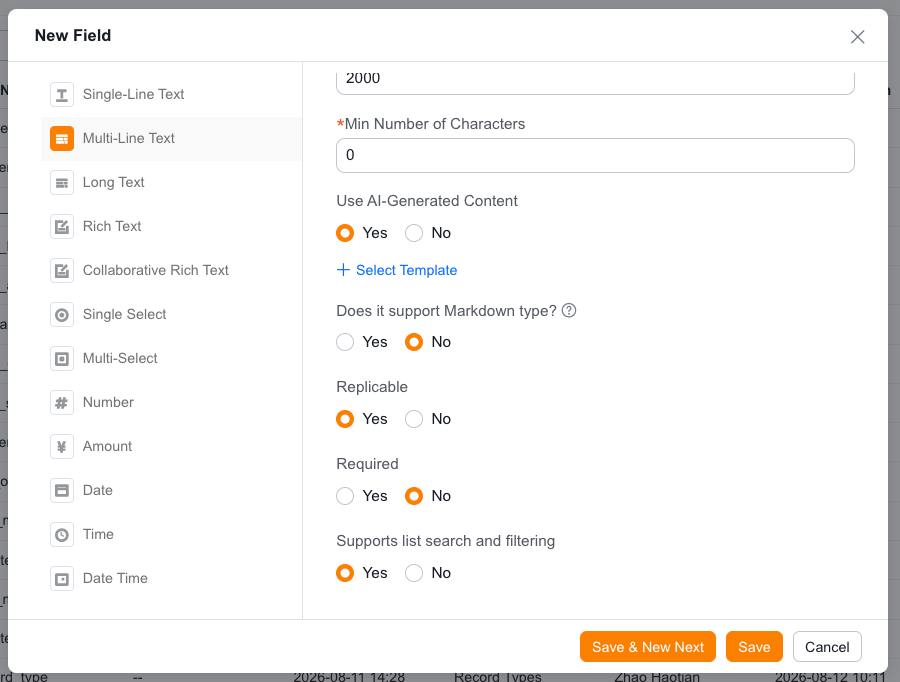
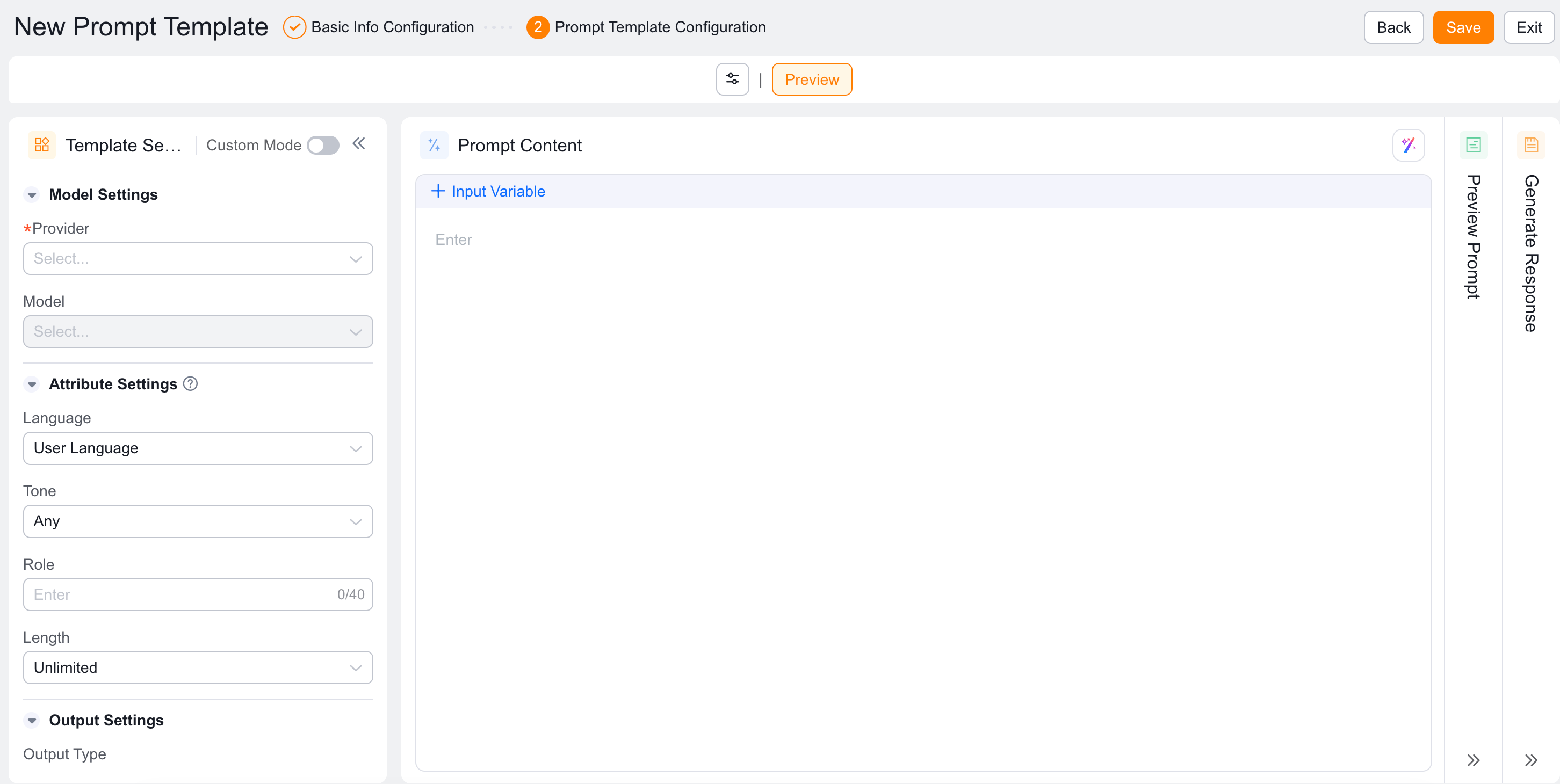
After enabling, select an existing template or create a new one. If you create a new template, you must complete the template configuration page.
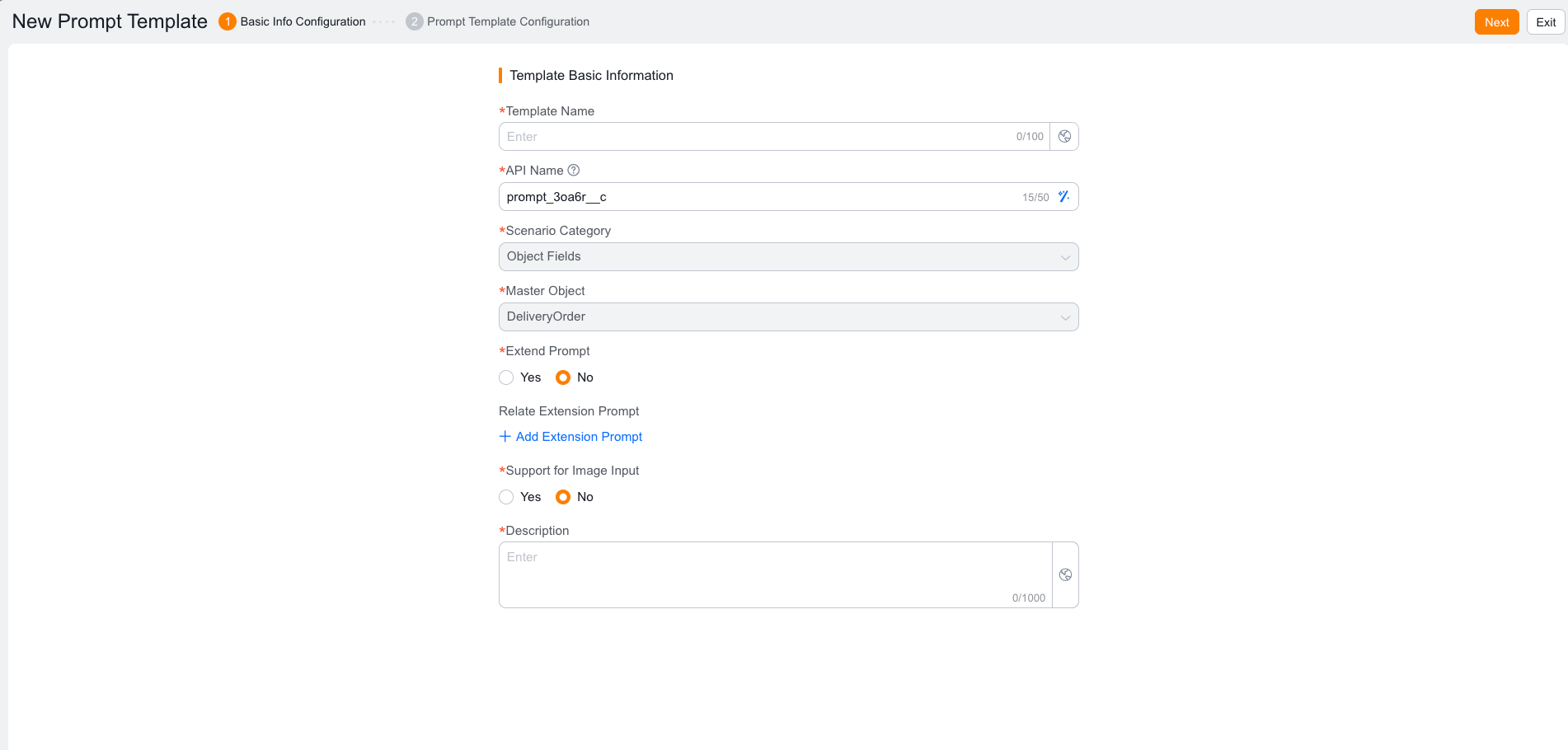
On the New Prompt Template page, configure the basic information and the prompt template. Proper configuration ensures that the AI-generated content aligns with your business needs.
After you enable and configure AI generation in Setup, use it on the front end:
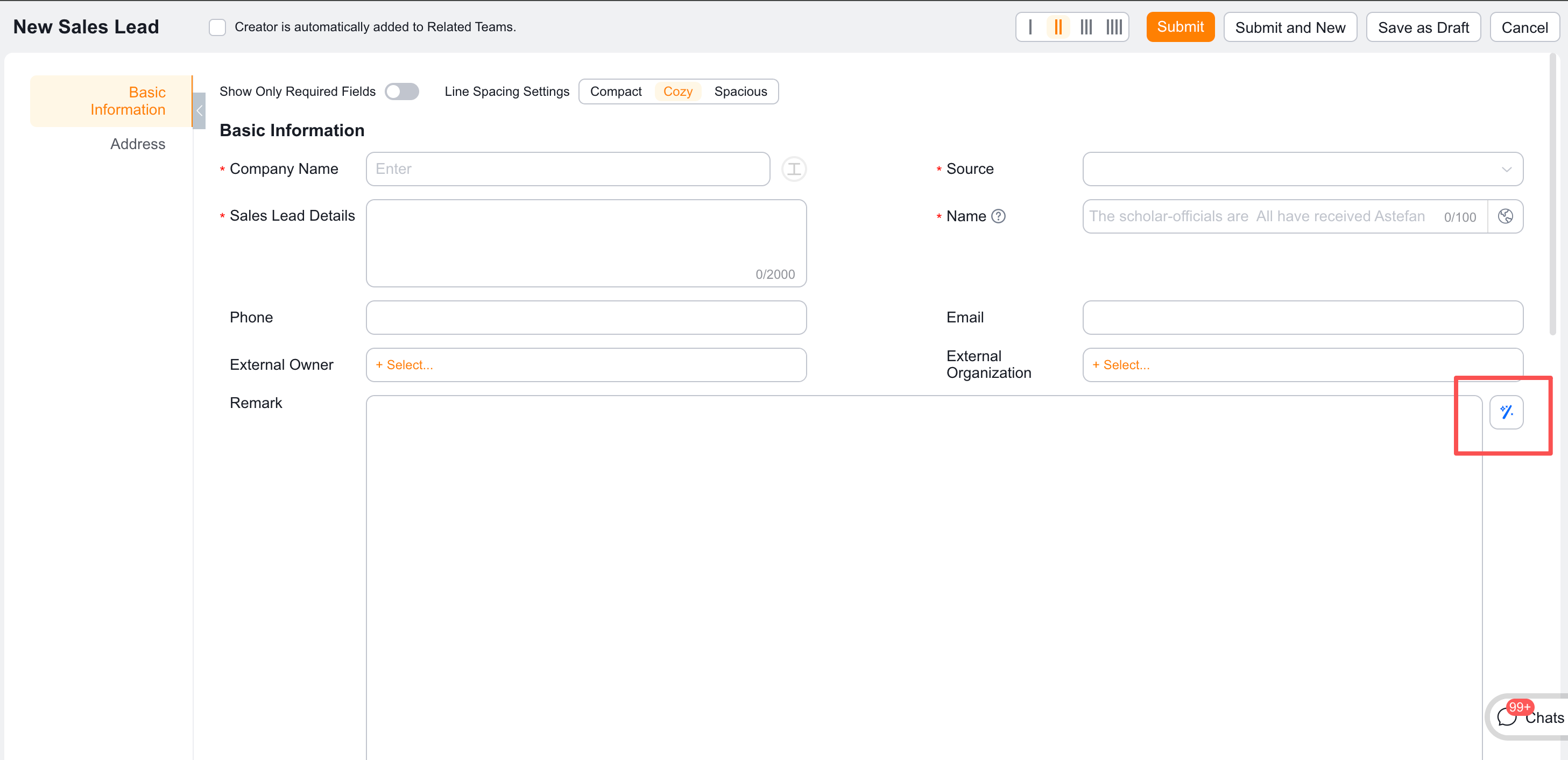
| Action | Description |
|---|---|
| Regenerate | Generate new content based on the template rules |
| Copy Text | Copy the generated text to the clipboard |
| Replace | Replace the existing content with the generated text |